Introduction: why we track our sleep
Sleep is one of those things we often take for granted — until it stops working properly. In today’s wellness-driven culture, “sleep optimization” has become a growing obsession. We track steps, calories, heart rate, and now, even how long and how deeply we sleep. For Apple users, the Pillow app is one of the most popular tools for understanding what happens while we rest.
But here’s the real question: can tracking your sleep through technology actually help you rest better, or does it risk turning your nights into data-driven performance?
As sleep health becomes part of self-care culture, it’s worth taking a closer look at how apps like Pillow shape our relationship with rest — and whether the insights they offer are genuinely useful or just another source of bedtime anxiety.
What is the Pillow app?
The Pillow app is a sleep-tracking application designed primarily for Apple Watch users. It records your sleep patterns automatically, analyzes them through biometric data, and presents an overview each morning. Developed by Neybox Digital, Pillow has gained popularity for its clean design and Apple ecosystem integration — syncing seamlessly with Apple Health to give you a complete wellness snapshot.
The app tracks when you fall asleep, how much time you spend in each sleep stage (light, deep, REM), and even detects snoring or irregular breathing. If you don’t have an Apple Watch, you can still use Pillow by placing your iPhone on your bed, but the data won’t be as detailed.
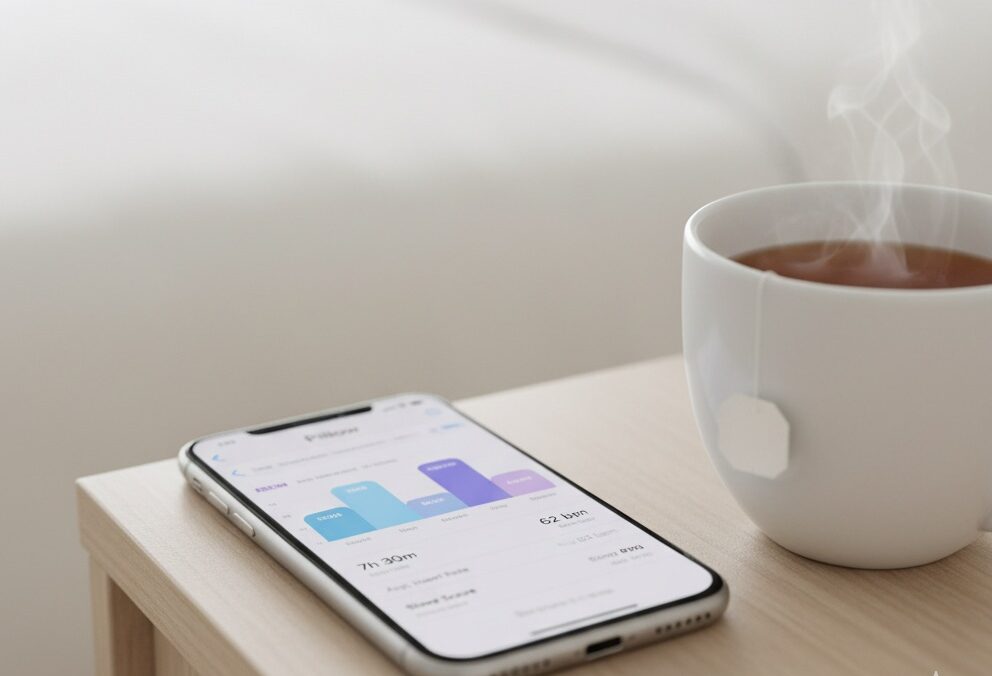
When you wake up, Pillow greets you with a colorful, easy-to-read sleep summary — a combination of graphs, heart rate patterns, and noise recordings that show exactly what your night looked like.
For many, this information feels empowering — finally, a way to understand why you feel exhausted even after eight hours in bed.
How Pillow app tracks your sleep
The magic (or mystery) of Pillow lies in its combination of motion, sound, and heart rate data. Here’s how it works:
Motion detection: Using the Apple Watch’s accelerometer, Pillow detects micro-movements that correspond to different sleep stages. Stillness often signals deep sleep, while subtle movements might suggest lighter stages or brief awakenings.
Heart rate monitoring: Your Apple Watch measures pulse variations throughout the night. These changes are closely linked with your circadian rhythm and sleep cycles.
Sound analysis: If you allow microphone access, Pillow records snippets of sounds during the night — from snoring and talking to ambient noises — which helps explain sleep disturbances.
Automatic mode: One of Pillow’s standout features is automatic tracking. You don’t need to press “Start Sleep” before bed; it detects when you fall asleep based on your watch activity.
When combined, these sensors paint a surprisingly detailed picture of your night. Over time, Pillow builds a sleep history that highlights trends — average duration, quality, and efficiency. This makes it easy to spot patterns like shorter deep sleep on stressful days or poor rest after late-night screen time.
Sleep data in action: what you actually learn
Each morning, Pillow turns your sleep into colorful graphs and percentages. You can see your sleep score, duration, sleep stages, heart rate variability, and even your snoring timeline. The visual format makes the data feel tangible — almost gamified.
But what do these numbers really mean?
Your sleep quality score, for instance, is based on how consistent your sleep cycles were, how many times you woke up, and how long you stayed in deep sleep. The heart rate graph can reveal if you’re recovering well or if your stress levels remain high during rest. Meanwhile, sound data might show that traffic noise or snoring disrupted your sleep without you realizing it.
Used mindfully, this feedback can help you fine-tune your habits. For example:
If you notice that your heart rate stays elevated late into the night, it could be a sign of caffeine sensitivity or stress.
If light sleep dominates your chart, it might mean your room is too warm or bright.
Consistent late bedtimes could point to an irregular circadian rhythm.
Still, it’s important to remember that data ≠ diagnosis. Pillow provides insights, not medical interpretations. Your sleep score is a helpful guide — but it doesn’t define how rested you should feel.
Benefits and downsides of the Pillow app
Like any wellness tool, Pillow has its pros and cons.
The benefits:
Apple Watch integration means automatic, accurate tracking with minimal setup.
Clean interface and daily insights make it easy to understand your data.
Snoring and breathing analysis provide awareness of nighttime disturbances.
Sleep history and trends encourage long-term improvements, not just daily tracking.
However, the downsides are worth noting too:
Constant tracking can fuel orthosomnia — the anxiety of not sleeping well enough.
Wearing your Apple Watch every night may feel uncomfortable or affect charging habits.
Battery drain and microphone recording may concern privacy-minded users.
For some, data overload creates stress instead of clarity.
Ultimately, the app works best when used as a reflective tool, not a performance tracker. The goal isn’t to “win” at sleep — it’s to understand how your habits and environment influence rest.

Real-life experience: who the Pillow app works for
Like most wellness tools, Pillow’s effectiveness depends on how you use it — and what you expect from it.
For some, it becomes a quiet ritual: checking the sleep summary over morning tea, learning to notice how yesterday’s stress or caffeine habits affect the night. For others, it can turn into an obsession — constantly reviewing scores, trying to “optimize” sleep instead of simply experiencing it.
Here’s where Pillow truly shines: awareness.
It helps you notice what you usually overlook — that a late dinner delays deep sleep, that your heart rate stays high after wine, or that weekend mornings feel better after consistent bedtimes.
If you use Pillow as a mirror rather than a scoreboard, it can deepen your understanding of your body’s rhythm.
Pillow tends to work best for:
Busy professionals who want gentle feedback on how lifestyle affects rest.
Apple ecosystem users who already track fitness, mindfulness, or workouts.
People working on consistent routines — since visual trends encourage small, steady improvements.
Light sleepers or those with mild snoring who want insight into environmental triggers.
It might be less helpful for people who struggle with sleep anxiety or perfectionist tendencies, as the constant measurement can sometimes make rest feel like a performance rather than recovery.
Tips for mindful sleep tracking
If you decide to use Pillow (or any sleep app), mindfulness is key. Here are ways to make the experience supportive, not stressful:
1. Use your data as feedback, not judgment
Numbers don’t define how well you rested — they simply describe one aspect of it. Treat each report as information, not evaluation. Look for patterns, not perfection.
2. Don’t check immediately upon waking
Start your morning with how you feel, not how the graph looks. Give your body a chance to register rest before you dive into metrics.
3. Combine data with real context
If you slept poorly, note what may have caused it: stress, caffeine, room temperature, or emotional tension. Data becomes meaningful only when connected with real life.
4. Keep your setup simple
You don’t need to track every sound or wear your watch every night. Select key metrics (like total duration or deep sleep time) and focus on trends over time.
5. Create balance between tracking and intuition
Use Pillow for awareness, but also trust your body. Not every night needs to be “optimized.” Some nights are simply for rest — without charts or goals.
By treating sleep tracking as a supportive companion, you can avoid the burnout that comes from over-measuring your wellbeing.
How Pillow compares to other sleep trackers
Pillow competes with other popular apps like AutoSleep, Sleep Cycle, and Oura.
AutoSleep offers deeper Apple Watch analytics but a more technical interface.
Sleep Cycle focuses on wake-up timing and sound analysis, appealing to those who want simplicity.
Oura Ring adds a layer of readiness and recovery scoring — great for athletes, but more expensive and less integrated with Apple Health.
Pillow sits comfortably between these options: visually friendly, affordable, and detailed enough for meaningful insights. Its free version is generous, while the premium plan adds longer history tracking, sound recordings, and advanced analytics.
For Apple users who prefer a gentle, design-driven experience over complex data, Pillow feels natural — and far less clinical.
The emotional side of tracking sleep
There’s another layer we often overlook: how data affects our emotions.
Seeing a “bad sleep score” can make us feel like we failed the night — even if we feel fine. This paradox, known as sleep performance anxiety, can create stress that disrupts future rest.
Apps like Pillow, while helpful, can unintentionally reinforce perfectionist thinking: that rest must be measured, optimized, improved.
But sleep isn’t a competition — it’s a biological process that thrives on relaxation and surrender, not control.
So while Pillow gives useful insights, the healthiest approach is to remember:
The goal is not to sleep perfectly — it’s to sleep peacefully.
Try to focus on what the data invites you to do, not what it demands. If it shows frequent awakenings, experiment with temperature or screen time. If deep sleep is low, consider mindfulness or stretching before bed. Small shifts, not drastic fixes, create sustainable change.
Privacy and data considerations
Pillow stores data locally on your device and in iCloud, using Apple’s secure environment. If you record sound during the night, these snippets remain private unless manually shared.
Still, it’s wise to check your settings:
In Settings → Privacy, you can disable sound recording or limit microphone access.
You can also delete your history anytime from within the app.
For those concerned about data tracking, this transparency makes Pillow one of the safer options among consumer-grade sleep apps.
Final thoughts: data as a guide, not a rule
The Pillow app offers an elegant way to bring more awareness to your nights. It doesn’t replace intuition or professional guidance — but it can help you reconnect with how your habits shape rest.
When used thoughtfully, sleep tracking transforms from pressure into perspective. It shows that your body is responsive, adaptable, and always learning.
The key takeaway? Technology should serve your rest, not manage it.
Sleep tracking can be part of your self-care routine, as long as it supports relaxation — not perfection.
So, if you’re curious about your nights, give Pillow a try.
Wear your watch, set aside the need for perfect scores, and see what patterns emerge.
You might discover that awareness — not control — is what truly helps you sleep deeper and wake up restored.
Read also: