You may not see it, smell it, or even notice it — but the air in your bedroom plays a crucial role in how well you sleep.
Many people invest in pillows, blackout curtains, and bedtime routines, yet overlook one of the most basic elements of a restful night: the air you breathe. If it’s too dry, too damp, full of irritants, or low in oxygen, your body and brain will work harder to stay asleep — or fall asleep in the first place.
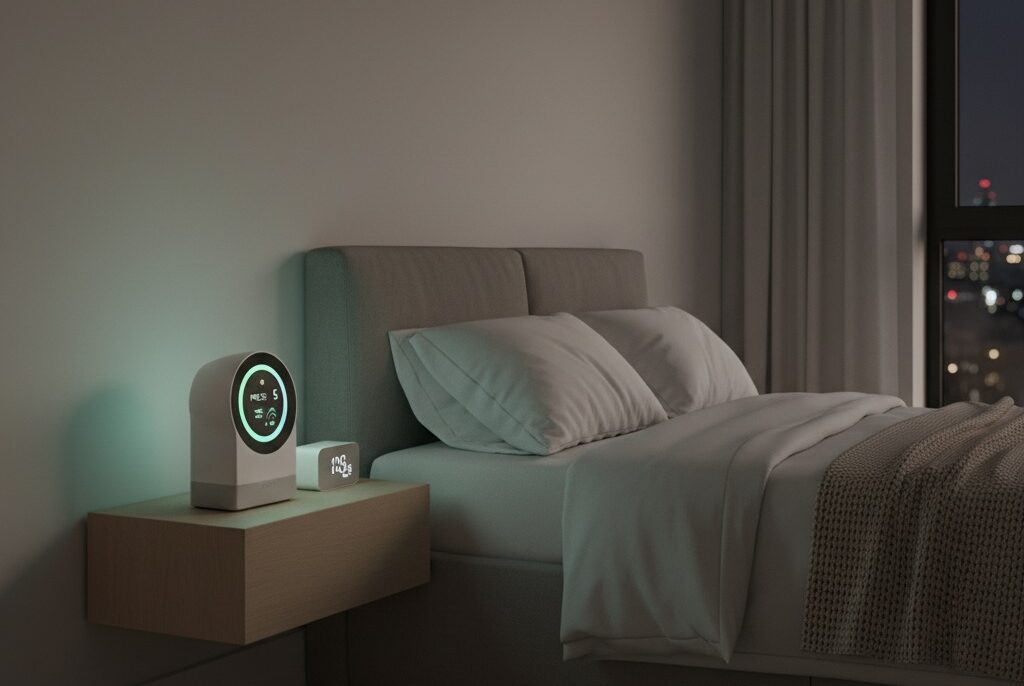
That’s where humidity sensors and air-quality monitors come in. These small but powerful devices track key environmental factors like temperature, relative humidity, CO₂ levels, and volatile organic compounds (VOCs). By measuring what’s often invisible, they give you insights to adjust your space for deeper, cleaner rest.
Let’s explore how these monitors work, what they track, and which models are worth adding to your sleep environment.
Why air quality matters more than you think
When you lie down at night, your body prepares for restoration. But poor air quality — especially in closed rooms — can trigger subtle physiological stress. Even mild imbalances can affect your:
Breathing rhythm
Body temperature regulation
Heart rate variability
Sleep depth and continuity
Research from the Sleep Foundation shows that exposure to elevated indoor CO₂, pollutants, or improper humidity can increase wakefulness during the night and lower overall sleep efficiency.
We’ve also explored this in our article on bedroom microclimate, where even small shifts in air composition can impact your sleep architecture — especially REM cycles.
What these monitors actually track
Not all air-quality monitors are the same. Here’s a breakdown of the most common metrics and how they relate to your sleep:
Humidity (%RH)
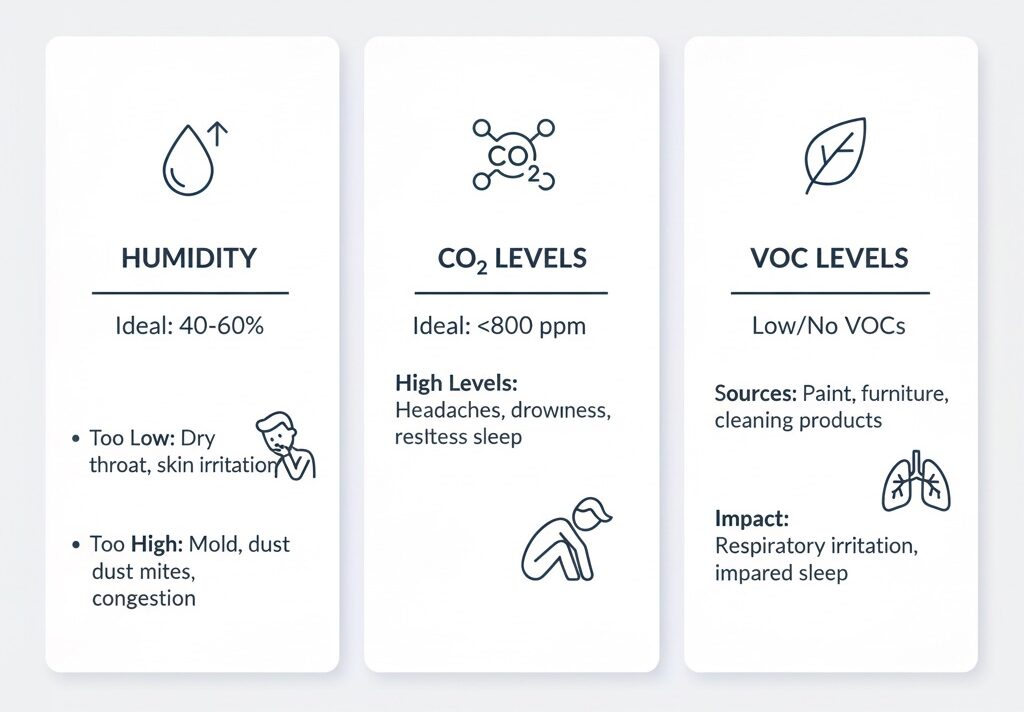
Ideal range: 40–60%. Too dry? You may experience dry throat, itchy eyes, or sinus irritation. Too humid? It can trigger mold, allergens, or nighttime overheating.Temperature (°C/°F)
Slightly cooler temperatures (around 18–20°C or 64–68°F) are optimal for sleep, but fluctuations can cause micro-wakeups.Carbon Dioxide (CO₂)
High levels (above 1000 ppm) in a closed room reduce oxygen availability, which can cause grogginess, headaches, and fragmented sleep.Volatile Organic Compounds (VOCs)
Emitted by furniture, paint, cleaning products — VOCs can irritate respiratory systems or trigger allergic reactions in sensitive sleepers.Particulate Matter (PM2.5/PM10)
Dust, pollen, pollution particles — these can contribute to night coughing, asthma symptoms, or allergic flare-ups.Air pressure & comfort index (optional)
Some advanced monitors calculate a “comfort score” by blending temperature, humidity, and air movement data.
By tracking these factors, a good monitor doesn’t just give you numbers — it gives you actionable insights. For example, if humidity drops below 35%, it might be time to turn on your humidifier or use a bowl of water with essential oils.
6 recommended air-quality and humidity monitors for the bedroom
Here’s a curated list of devices — from budget-friendly to advanced — that help create a sleep-optimized microclimate:
1. Airthings View Plus
Best for: full-room environmental tracking
Tracks: PM2.5, CO₂, VOCs, humidity, temp, radon
Display: e-ink screen + app
Price: ~€299
Why we like it: Sleek design, comprehensive metrics, long battery life
Ideal for: city apartments or bedrooms with poor ventilation
2. Netatmo Smart Indoor Air Quality Monitor
Best for: Apple HomeKit users
Tracks: CO₂, humidity, noise, temperature
Price: ~€119.99
Why we like it: Smart home integration, minimalist design, easy setup
Ideal for: light sleepers or couples who want CO₂ alerts for shared bedrooms
3. Eve Room Indoor Air Quality Sensor
Best for: Apple ecosystem & portability
Tracks: VOCs, humidity, temperature
Price: ~€99.95
Why we like it: Stylish, rechargeable, HomeKit ready
Ideal for: those with allergies or chemical sensitivities
4. Airthings Wave Mini
Best for: basic monitoring on a budget
Tracks: VOCs, humidity, temperature
Price: ~€90
Why we like it: App-based alerts, small footprint, gesture-based feedback
Ideal for: compact bedrooms or travel use
5. FNIRSI SFD-02 4-in-1 Monitor
Best for: cost-effective monitoring
Tracks: VOCs, CO₂, humidity, temperature
Price: ~€35.95
Why we like it: LCD display, multiple metrics for under €40
Ideal for: starter setup or guest rooms
6. ThermoPro TP3582 Hygrometer
Best for: pure humidity and temp tracking
Tracks: humidity, temperature
Price: ~€39.99
Why we like it: Fast sensor response, no app needed
Ideal for: those only focused on comfort zones (40–60% RH)
These products range from premium to simple — but all share one mission: helping you understand the air you sleep in, so you can sleep better.
If you want to go deeper into optimizing your bedroom, our article on home sleep hacks offers more environmental tips.
How to choose the right monitor for your bedroom
With so many options on the market, it’s easy to get overwhelmed. But choosing the right device for your bedroom doesn’t need to be complicated. It depends on three main factors: your sleep needs, your room setup, and your budget.
Here’s how to navigate it:
1. Know what you care most about
Start by identifying what affects your sleep the most:
Dry air? Go for a monitor with reliable humidity tracking (40–60% RH is ideal).
Poor ventilation? Look for CO₂ sensors. If levels rise above 1000 ppm at night, it’s a sign you need to crack a window or use a purifier.
Allergies or asthma? Choose a model that tracks VOCs and particulate matter (PM2.5/PM10).
Noise sensitivity? Some smart monitors also track ambient noise (like Netatmo).
If you’re unsure, start with a combo monitor that tracks humidity, VOCs, and CO₂ — this covers most common issues.
2. Consider room size and layout
Your bedroom’s size and airflow matter. For small rooms with limited ventilation, compact units like the Eve Room or Wave Mini may be enough. For larger spaces or shared bedrooms, it’s worth upgrading to a more robust device like the Airthings View Plus, which tracks multiple air variables simultaneously.
Also, consider placing your monitor:
Away from windows or vents, for accurate average readings
At breathing level, not too close to the floor or ceiling
On a nightstand or shelf, where you’ll actually see it
3. Think about integration and usability
Do you want real-time alerts on your phone? Go for a smart monitor with app support.
Prefer something screen-based with no apps? Devices like ThermoPro are plug-and-read.
Want to integrate with smart home routines (e.g., turn on a purifier when VOCs spike)? Look for HomeKit or ZigBee-compatible options.
No need to overcomplicate — just pick the level of interaction that fits your routine.
How to use your monitor effectively (without obsessing)
Getting a monitor is the first step. Knowing what to do with the information is the real game-changer.
Here’s how to use these tools in a way that supports rest — without micromanaging your space:
Watch trends, not spikes
It’s normal for metrics to fluctuate — especially CO₂ and humidity levels. Don’t stress over every spike. Focus on patterns:
Are your CO₂ levels consistently above 1000 ppm at night? Try ventilation.
Does humidity drop below 35% in winter? Add a humidifier.
Are VOCs spiking after cleaning or spraying fragrances? Consider fragrance-free products.
Over a few days, you’ll start noticing triggers — and solutions.
Make small, responsive changes
Your monitor is a feedback tool. Try small adjustments based on the data:
Open a window or door slightly during the night
Move plants away from your sleeping area if they affect humidity or VOCs
Clean air filters more often if PM2.5 is high
Reduce clutter or switch to low-emission furniture in high-VOC rooms
Use the monitor as a conversation partner — not a judge.
Don’t let it stress you out
It’s easy to fall into the trap of “perfect air” obsession — especially for those with anxiety or sleep issues. But remember:
This is a support tool, not a test.
Sleep benefits from consistency and calm, not perfection.
We talk more about mindset shifts like this in our article on nighttime anxiety and temperature sensitivity, where tracking and gentle awareness help rather than create pressure.
Common mistakes to avoid
Let’s make your monitor truly helpful. Avoid these common pitfalls:
Ignoring placement
A sensor next to a heater or open window will give skewed results.Overreacting to short-term data
One bad night doesn’t mean your air is “toxic.” Look for consistent patterns.Checking it obsessively
Data is there to inform — not to fuel control.Skipping maintenance
Replace batteries, update apps, clean sensors if required. A dirty sensor gives false peace of mind.Using a monitor but doing nothing
Awareness must lead to action — even something as small as opening a window 15 minutes before bed.
Final thoughts: breathe better, sleep deeper
You spend nearly a third of your life asleep — and most of that time in a single room. Isn’t it worth making that air just a little better?
Humidity sensors and air-quality monitors may seem like niche tech, but they offer something profound:
A clearer connection between your environment and your wellbeing.
They help you notice the invisible, take action early, and trust that your space is supporting you — not silently working against you.
Whether you start with a simple hygrometer or go all-in with a smart monitor, this small upgrade can unlock deeper sleep, clearer mornings, and greater ease in your body.
And in a world full of noise and stress, that’s a gift worth breathing in.
Summary: best picks by need
| Need | Best Option | Why |
|---|---|---|
| Full-spectrum tracking | Airthings View Plus | Covers PM, VOCs, CO₂, temp, humidity |
| Stylish + Apple friendly | Eve Room | Compact, HomeKit-ready, no clutter |
| Affordable starter monitor | FNIRSI SFD-02 | Tracks basics under €40 |
| Just humidity + temp | ThermoPro TP3582 | Fast, no app, easy to read |
| Smart home integration | Netatmo Smart Monitor | CO₂ alerts, quiet, clean design |
💡 Want more microclimate support?
Read our in-depth guide: Bedroom microclimate: how humidity and air ions affect rest
Or explore our related product review on cold and hot therapy tools for better sleep